At a glance
- Google Calendar phishing puts a fake voicemail, quote request or payment notice on your calendar with a link that captures your Google sign-in.
- Material Security says this campaign went after businesses on Google Workspace, sending from real accounts that had already been hacked.
- The most useful habit is to check any unexpected request by going to the service or calling the sender at a number you already have.
- 2-step verification does not stop it, because the attacker relays the real Google sign-in and keeps the session after you pass.
- If someone clicked, sign out every unrecognized session, remove unknown connected apps and secure the account within the hour.
Google Calendar phishing is a scam that puts a fake meeting, voicemail or invoice notice on your calendar and uses it to take over your Google account.
The invite usually comes from a real account that was already hacked, often someone you do business with. Its link opens Google’s real sign-in page, relayed through the attacker, so your password and 2-step code go straight to them. Tighten one Calendar setting, check unexpected requests another way, and know how to sign out every session fast.
How Does the Google Calendar Phishing Scam Work?
The security company Material Security documented this campaign in an October 1, 2026 write-up and a November 4 follow-up on BleepingComputer, an article Material wrote and sponsored. The numbers come from Material’s own customers; no independent outlet has confirmed this specific campaign.
According to Material Security, it began in mid-August 2026 and targeted Google Workspace users at companies:
- A hacked account, often at a company you already deal with, sends an invite to its saved contacts.
- The subject is something you’d open: a voicemail, a request for a quote, a court summons, a missed payment, timed for US business hours.
- The link starts at a real Google address (a Google redirect, share.google or Drive) and then forwards elsewhere.
- A “prove you’re human” check appears, then a Google sign-in page.
In about a month of response starting late September, Material says it blocked 68,676 campaign messages, got 897 domains blocked through Cloudflare, and counted 8,570 compromised sender addresses across 6,354 domains.
Material now says the campaign “looks finished” but expects a new wave under a different brand. It also says a Microsoft 365 version is built but not switched on. The kit is publicly documented, so rebuilding it is cheap.
Why Doesn’t 2-Step Verification Stop It?
That sign-in page is Google’s real one, passed through the attacker’s server while you use it (an adversary-in-the-middle attack).
Your password, the text or app code, even Google’s tap-yes number-matching prompt reach Google in real time, so every check passes. Then the attacker keeps the signed-in session, the browser cookie that tells Google you already proved who you are. With it, Material says, they can get into mail and Drive and approve connected apps in your name.
A familiar name on the invite proves nothing. Google’s June 2026 scams advisory flagged calendar phishing and advises going straight to a service’s official website instead of clicking links in unexpected notices. For a surprise voicemail or payment notice, call the sender at a number you already have. The same instinct helps with calls claiming to be Google about your Business Profile.
Which Google Calendar Setting Should You Change?
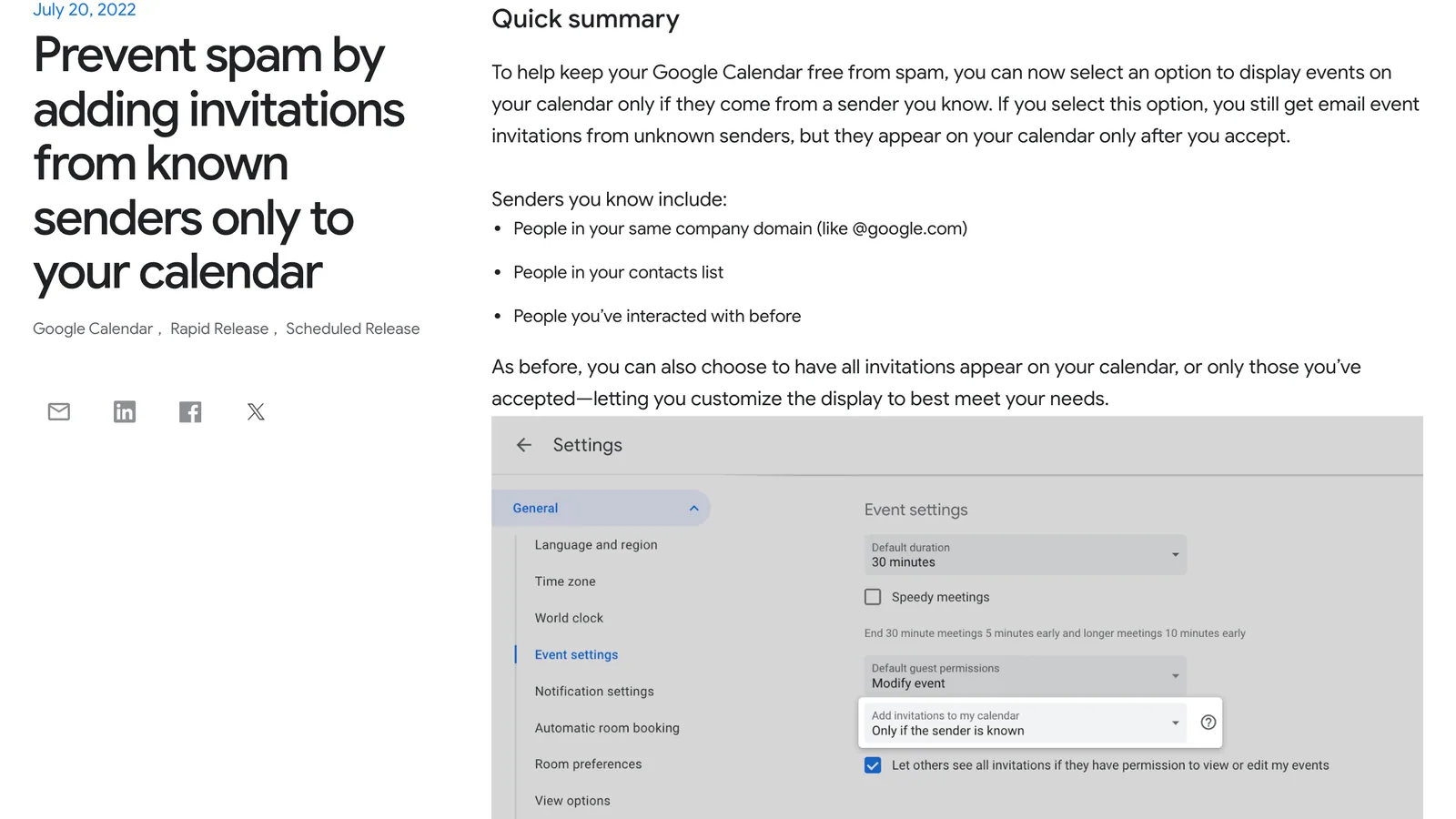
On a computer, go to Google Calendar’s Settings (the gear icon) > Settings > General > Event settings > “Add invitations to my calendar.” Google’s help page explains the three choices:
- “From everyone” adds every invite, strangers included.
- “Only if the sender is known” adds an invite only if the sender is in your contacts, in your organization, or someone you’ve interacted with before. Others arrive by email only.
- “When I respond to the invitation in email” is the strictest. Nothing lands until you answer.
Changes apply to new invitations only, and on work accounts the admin controls which options you can pick.
“Only if the sender is known” cuts spam from strangers. It helps less here, since this campaign used hacked accounts of people you know, and those count as known.
If one gets through, open the event and choose More actions > “Report as spam.” That removes the event and its series. It works only for invites sent from Google Calendar.
What Should a Google Workspace Admin Change?
On August 14, 2026, Google gave every Workspace admin a matching control at Admin console > Apps > Google Workspace > Calendar > Advanced settings > “Add invitations to Calendar.”
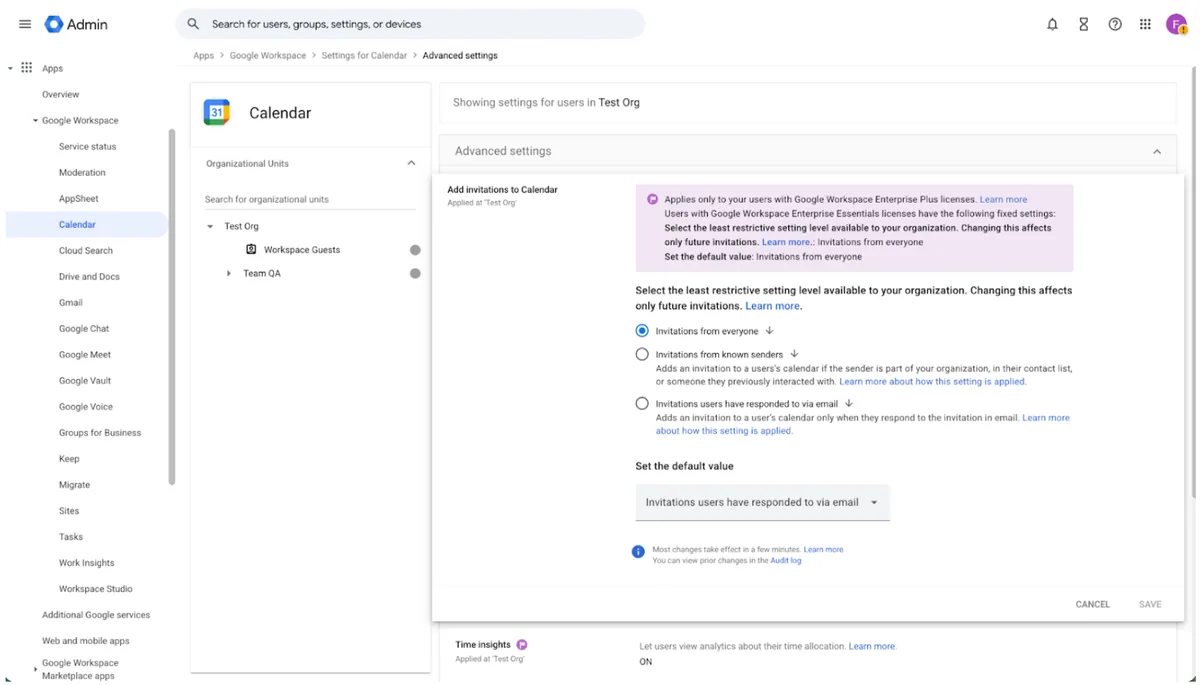
The options are “Invitations from everyone,” “Invitations from known senders” and “Invitations users have responded to via email.” The admin sets the loosest level staff may choose plus a default, for future invitations only.
Two more items for the admin:
- Signing a user out. Go to Directory > Users > the user > Security > “Sign-in cookies” > Reset. Desktop apps like Drive for desktop stay signed in.
- A response plan. Material advises being able to revoke sessions, remove connected-app access and reset the account within an hour.
Are Passkeys and Security Keys Worth It?
Yes, especially for owners and whoever handles payments. A passkey signs you in with your device’s screen lock, and Google says passkeys are more secure against phishing because they can’t be shared, copied or handed over.
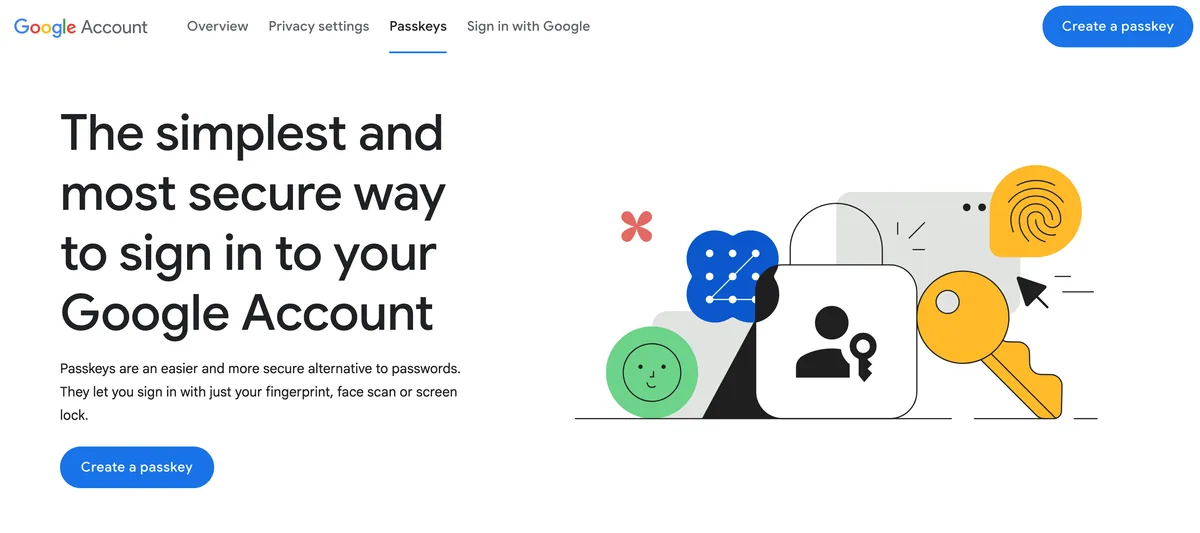
A security key is a small physical device that does a similar job. They are the strongest sign-in protection Google offers, though neither is a cure-all.
- Adding a passkey does not remove your password or other sign-in options.
- On a Workspace account, the admin decides whether passkey-only sign-in is allowed.
- Material’s write-up does not mention passkeys, so we won’t promise they stop this attack.
What If Someone Already Clicked?
Move fast, ideally within the hour.
- Go to your Google Account > “Security & sign-in” > “Your devices” > Manage all devices, and sign out of anything you don’t recognize (or everything, if unsure).
- On the same page, review recent security activity.
- Remove any connected apps you don’t recognize.
- Work through Google’s steps for a hacked account.
- Tell your Workspace admin, and warn whoever sent the invite that their account is probably compromised.
If that login also runs your website, the last check in our guide to why a website isn’t showing up on Google covers hacked sites.
FAQ
Can You Get Hacked From a Google Calendar Invite?
In the campaigns Material and AegisAI described, the harm starts when you follow the link and sign in or download something. If an invite asks you to sign in, close it and go to the service yourself.
How Do I Stop Spam Invites in Google Calendar?
Set “Add invitations to my calendar” to one of the stricter options and report any that slip through. AegisAI, a vendor tracking a separate campaign, noted that deleting the invite email leaves the event on your calendar, so remove the event itself.
Does This Affect Personal Gmail Accounts?
Material’s figures cover corporate Google Workspace users. The Calendar setting, the device review and passkeys all work on personal Gmail accounts too.
What Is the Next Step?
If you’d like a second set of eyes on this, book a call. We look after client websites through our website services, and we can help you review your setup and show your staff what to watch for.
Sources
- Material Security, threat research on calendar invites and a live MFA proxy that steal Google sessions, October 1, 2026
- BleepingComputer, sponsored article by Material Security, Google Calendar phishing campaign hijacks sessions and bypasses MFA, November 4, 2026
- Google, fraud and scams advisory, June 2026
- Google Calendar Help, adding invitations to your calendar
- Google Calendar Help, reporting spam invitations
- Google Workspace Admin Help, Calendar invitation settings
- Google Workspace Updates, new admin controls for adding invitations to Google Calendar, August 2026
- Google Workspace Admin Help, resetting a user’s sign-in cookies
- Google Account Help, devices with account access
- Google Account Help, securing a hacked or compromised account
- Google Account Help, signing in with a passkey
- Google, passkeys
- Google Account Help, security keys
- AegisAI, Google Calendar phishing that installs a remote-access agent